

Autonomous Reasoning
Agents think through problems, plan actions, and execute multi-step workflows without hand-holding.
For founders and lean go-to-market teams. Build a team of AI agents that call on each other, remember what happened last time, and act inside your real tools — not a single chatbot that forgets.
Free to start. No credit card required.
Agents
5 agents · 2 running now
SelfAgentic is a no-code platform for building a team of AI agents. Each agent has its own job, tools and memory, and they work as a multi-agent team: one agent can consult another mid-run, or several can be chained into a scheduled workflow. They act inside Slack, Google Workspace, LinkedIn, Instagram, Meta Ads and Fireflies. Anything that posts publicly or changes an ad waits for your approval by default.
When one agent is enough, and when you need severalOne trigger, one agent or a workflow of several, one finished artefact. Pick a job and watch the run.
Agent activity
Lead Scout
Looks for companies that match your ideal customer
Web researchLead Scout
Reads their site and recent posts for a buying signal
Web researchLead Scout
Scores each one against what it remembers about your best customers
Outreach Agent
Drafts a first-touch email for you to send
Outreach Agent
Logs the lead to your sheet
Google WorkspaceOutreach Agent
Posts the brief to your team channel
SlackWhat you get
Fit score 82/100 — matches your best-converting segment.
Signal: posted about replacing a manual reporting process 6 days ago.
Draft email opens on that post, 94 words, one clear ask — ready for you to send.
Logged to your leads sheet with the sources it used.
Assembling the deliverable…
Illustrative walkthrough of how an agent run works. Timings are compressed.
Why agents?
Hand repeatable work to AI agents that think, act, and run on your schedule — 24/7.
Without agents
A founder juggles 6+ roles
With SelfAgentic
One AI team handles it all
Not a list of features — the finished work each team gets back, and the run that produces it.
Turn competitor movement and campaign data into briefs your team can act on the same morning.
A typical run

Start each morning with prospects already researched, scored, and with a first email drafted against a real signal.
A typical run

The feedback you collect in a sheet or doc becomes a ranked list of what to build, with the evidence still attached.
A typical run

Routine questions get answered in Slack; the ones that need a human get handed over with the context already summarised.
A typical run

How it works
Pick a starting point, name it and say what it does. Skills are suggested from your description
Connect Google Workspace, LinkedIn, Instagram and Meta Ads with OAuth, add Slack to an agent through your own Slack app, then choose per agent what each one may touch
One agent can consult another mid-run. For multi-step jobs, chain agents into a workflow on the canvas — pausing for your approval before anything is posted or an ad changes. What needs approval, and why · One agent or several?
A workflow you build on the canvas
Schedule
every Monday, 8am
Research Agent
gathers evidence
Writer Agent
drafts the output
Reviewer Agent
checks the claims
Final output
delivered to you
Install a ready-made specialist, give it your context, and put it to work on its first job the same day.
Finds, scores and ranks prospects, then drafts the outreach.
“Find 20 leads like our last three customers.”
Sizes markets, maps competitors and returns sourced findings.
“Who else sells this, and what do they charge?”
Seven-dimension site audit with technical and content scoring.
“Audit our site and rank the fixes by impact.”
Plans the calendar, drafts the posts, holds them for approval.
“Plan next week across LinkedIn and Instagram.”
Scopes the MVP, pressure-tests pricing, asks the hard questions.
“Is this feature worth building before we raise?”
Scores offers, tailors CVs, tracks applications and preps interviews.
“Compare these two offers and tell me which wins.”
Agents don’t just talk about work — they do it where the work already lives. You choose which agent may touch which tool.

SlackLive
Mention an agent in a channel, thread or DM

Google WorkspaceLive
Create and update Sheets and Docs the agent made

LinkedInLive
Publish posts, with images, to your profile

InstagramLive
Publish posts you approve

Meta AdsLive
Read results; change campaigns with approval

FirefliesLive
Meeting notes and action items into memory
Web researchLive
Search the web and read public pages
Image & videoLive
Generate visuals for posts and briefs
Agents can also create PDFs. Need a tool that isn’t here? Tell us.
Pricing
Start free, scale as you grow. No hidden fees, no surprises.
Get started with a free token allowance to explore the platform.
Roughly 20 agent runs, each a sourced research task — enough to build a first agent and watch it work.
For power users who need more agents, more tokens and faster support.
Roughly 1,000 agent runs a month — a daily research brief, a lead scout and a content team, comfortably.
Tailored plans for teams that need more volume and a direct line to us.
Sized against your actual workload before you commit.
| Feature | Free Trial | Pro | Enterprise |
|---|---|---|---|
| Tokens | 1M one-time | 50M/month | Custom |
| Beyond the allowance | Hard stop | Fair use | Custom |
| Max Agents | 5 | 15 | Unlimited |
| Integrations | All live integrations | All live integrations | All live integrations |
| Images / videos | 10 / 5 | 100 / 30 | Unlimited |
| Support | Priority email | Priority email |
Tokens are the units the underlying language model bills in — roughly ¾ of a word, counted across both what the agent reads and what it writes. A quick chat reply usually uses a few thousand. A research run that searches the web and reads sources uses around 50,000, which is the figure our run estimates are based on; a long workflow with lots of documents uses more.
On the free tier, agents stop and tell you. On Pro, runs continue past 50M; we will contact you before any overage billing is introduced. Tokens are only used by your agents’ own work — your chats, schedules and workflows, and messages arriving through channels you connect.
No. Charges from services your agents act in — such as the ad spend on a Meta Ads campaign — are billed by those providers directly. Budget changes an agent proposes wait for your approval, and campaigns it creates start paused.
Yes. Each plan has a token budget the platform enforces. On top of that you choose which integrations each agent may use, with hourly and daily action limits per agent. Outward-facing actions such as publishing a social post or changing an ad ask for your approval, and that is on by default.
Not yet. Each account belongs to one person, who sets up and runs the agent team. Your agents can still reply in your team’s Slack channels and create Sheets and Docs you can share. Team accounts with roles are not built yet.
Agents run on the platform model we provide and maintain — there is nothing to choose, configure or pay a third party for. Bringing your own model or API key is not supported.
Usage equivalents are estimates for planning only. Actual consumption varies with task length, tools used and how much context an agent needs.
The product
Define what your agent is, what it knows, and what it can do. SelfAgentic handles the rest — memory, streaming, delegation, and per-agent access control — so you can focus on the problems that matter.
Looking for the company rather than the product? Read why we are building this →
Swipe or use the arrows →
Agents think through problems, plan actions, and execute multi-step workflows without hand-holding.
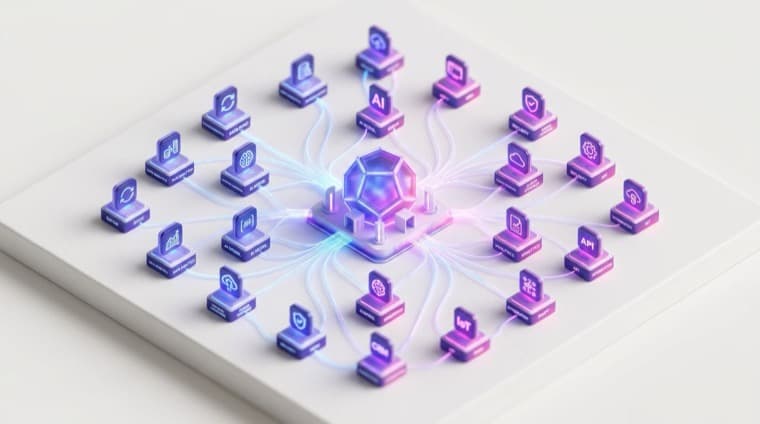
Connect Slack, Google, LinkedIn, and more. Your agents work inside the tools you already use.

Agents remember facts and preferences from past conversations and runs, so you do not have to repeat yourself.

One agent can consult another mid-run, and you can chain agents into a workflow on the canvas for multi-step jobs.

Your data stays yours. Integration tokens are encrypted at rest, and you choose which tools each agent can use.

See how well each agent is performing with built-in scoring, so you catch problems before your customers do.
Create agents that think, collaborate, and execute — so you can focus on what actually matters.
Free to start. No credit card required.